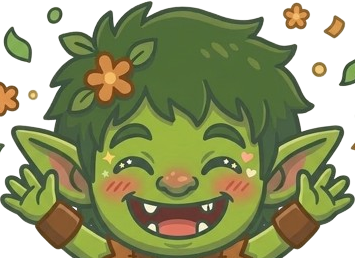

The timer starts, Shield wakes up, and the Goblin keeps an eye on the loop. If you drift, the session reacts before one quick check turns into a lost hour.
Frequently AskedQuestions
Focus & Sessions
Yes. Pausing stops the session temporarily so you can handle something real without losing your setup.
They are little pulls back after a slip. Not a scolding. Just enough friction to make the session feel recoverable instead of ruined.
Planned Sessions are focus blocks you schedule ahead of time. They are useful for recurring routines, so your next session is already waiting when the day gets noisy.
You can leave CogniFocus. If Shield is active and you open a blocked app, Shield steps in and points you back toward the session.
Shield & Blocking
Shield catches blocked apps when they open and interrupts the drift. It is the part that keeps TikTok, Instagram, YouTube, or whatever you picked from quietly stealing the session.
Shield is strongest during active sessions — it reacts the moment a blocked app opens. Manual Block is a separate mode that holds app blocks outside any session, so protection doesn't stop when the timer does.
Manual Block lets you block selected apps outside a focus session. No timer needed — just turn it on and it holds the block. Handy for study time, bedtime, or any window where you want direct protection without running a session.
You can block the apps you choose in CogniFocus. The goal is to cover the apps that actually pull you off task, not force a one-size-fits-all list.
Android requires Usage Access so CogniFocus can tell which app is in front. Shield uses that signal to react to blocked apps. It does not read your messages or app content.
Android asks for Overlay permission so Shield can appear over the distraction you just opened. That is the interruption. Without it, CogniFocus cannot step in cleanly.
No. CogniFocus does not read your messages, passwords, or the text inside your apps. It works from app state, not private content.
Yes. Core blocking and session behavior are designed to work without a live network connection.
Progress & Companion
The Goblin makes focus feel noticed. It reacts when you drift, finish, or need a nudge, so the app feels less like a silent timer and more like something in the room with you.
Yes. If a blocked app opens, the Goblin reacts with the session. It is there to snap the moment back into focus, not just sit around looking cute.
Streaks and XP make your effort visible. They give the day a little shape, without turning focus into some noisy scoreboard.
Focus Shards are pieces of recovered focus you earn by completing sessions, maintaining streaks, and coming back from distractions. They add to your shard reserve, support progression, and are used to unlock companion and progression systems inside CogniFocus. Streak rewards can add extra shard rewards, and future progression systems may use the same reserve without resetting what you already earned.
Maybe. Only if they actually make focus better. If more companions happen, Focus Shards may help unlock them when they are real.
Privacy & Trust
CogniFocus uses the app-in-front signal for blocking, but it does not need to upload your full app history to do that.
No. CogniFocus is built to focus on the session, not to sell your behavior or your personal data.
Yes. The core session and blocking flow are meant to keep working even when you are offline.
Only the data needed to keep your account and progress consistent should sync. The app avoids cloud sync for private content.
Yes. If you want to remove your account or data, use the account deletion flow or contact support for help.
Support
Use the app's support path or contact the team with a short description, your device model, and what happened right before the bug.
Use the support contact listed in the app or on the site. Include your device details and what you were trying to do.
CogniFocus is available now on Android. iOS is in the works. Join the waitlist to be notified when it launches. Desktop support may follow later.
Yes. iOS is in the works. Join the waitlist and we'll let you know when it drops.
Stuck? Goblin's got you.
Bugs, billing, account stuff. Hit us up.
















 Just Hunt