
CogniFocus vs. Forest: Which Focus App Actually Stops Distractions?
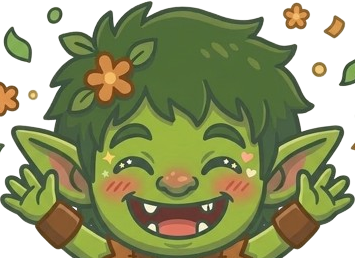
CogniFocus and Forest are both focus apps with a gamification element, but they work very differently. Forest plants a virtual tree during your session, if you leave the app, the tree dies. CogniFocus uses a Goblin companion that reacts in real time and Shield that actively prevents the blocked app from loading.
The core difference is blocking strength. Forest's mechanism is emotional, a dead tree creates mild guilt. CogniFocus's mechanism is technical, Shield intercepts the app before the feed loads.
What Forest Does Well
Forest's appeal is its simplicity and visual reward. You start a session, a tree grows and at the end you have a small forest representing completed focus time. The app is beautifully designed and calming.
Forest also connects to real tree planting through a partnership with Trees for the Future, your virtual trees correspond to actual trees planted.
Forest strengths:
- Elegant, calming visual design
- Real tree planting via charity
- Available on Android and iOS
- Social forest, see friends' sessions
- Strong long-term habit tracking
Forest limitations:
- Blocking is emotional, not technical, leaving kills the tree but doesn't prevent the app from opening
- No foreground service blocking
- No recovery nudges
- Dead tree penalty is too low-friction for strong scroll habits
What CogniFocus Does Well
CogniFocus prioritises blocking strength. Shield intercepts blocked apps the moment they open, before TikTok loads, before the Instagram feed appears. The Goblin's mood states react at the moment of distraction:
- Neutral, during calm sessions
- Annoyed, when distractions are detected
- Angry, during repeated slips
- Cheerful, after clean sessions
CogniFocus strengths:
- Shield blocks in real time (foreground service)
- Goblin reacts with mood-based feedback at the moment of distraction
- Recovery nudges, distraction doesn't kill the session
- Session streaks and XP
- Manual Block for non-session windows (Pro)
CogniFocus limitations:
- Android only for now (iOS waitlist open)
- Less visually polished than Forest
- No real-world charity element
Feature Comparison
| Feature | CogniFocus | Forest |
|---|---|---|
| Blocking mechanism | Real-time foreground service (Shield) | Emotional, tree dies if you leave |
| Blocks app from loading? | Yes | No |
| Companion/character | Goblin with mood states | Growing tree |
| Recovery after slips | Yes, recovery nudges | No, session fails |
| Streaks and XP | Yes | Trees + forest growth |
| Social features | No | Friend forests |
| Real-world impact | No | Tree planting charity |
| ADHD design | Yes | No |
| Platform | Android | Android + iOS |
| Price | Free to start, Pro $3.99/month | Free (ads) or ~$1.99 one-time |
Which One Is Right for You?
Choose CogniFocus if:
- You have a serious scroll habit that mild guilt won't break
- You need an app that actually blocks TikTok and Instagram from loading
- You have ADHD-style attention patterns
- You've tried Forest and kept killing trees anyway
Choose Forest if:
- Your distraction habit is mild and visual motivation is enough
- You want a calming, beautifully designed timer
- You care about the tree-planting charity element
- You're on iOS and want something that works well there
The Dead Tree Problem
If you open Instagram 15 times a day, killing a virtual tree is a tolerable cost. There's no recovery nudge, the session is just over.
CogniFocus's approach is the opposite: a distraction caught is a session moment, not a session failure. The Goblin reacts, the block screen appears, you're redirected back. The session continues. That recovery loop is what makes it more appropriate for heavy scroll habits.
Download CogniFocus on Google Play, free to start.

















 Just Hunt